Tomorrow’s the day!
- From
- Josh W. Comeau
- Reply-To
- me@joshwcomeau.com
- Sent
- April 26, 2026

This issue of my newsletter was sent to newsletter subscribers.
Sign up to receive future issues!
Hey there!
For the past year and a half, I’ve been heads-down focused on my upcoming course, Whimsical Animations(opens in new tab). That course comes out tomorrow, in less than 24 hours!
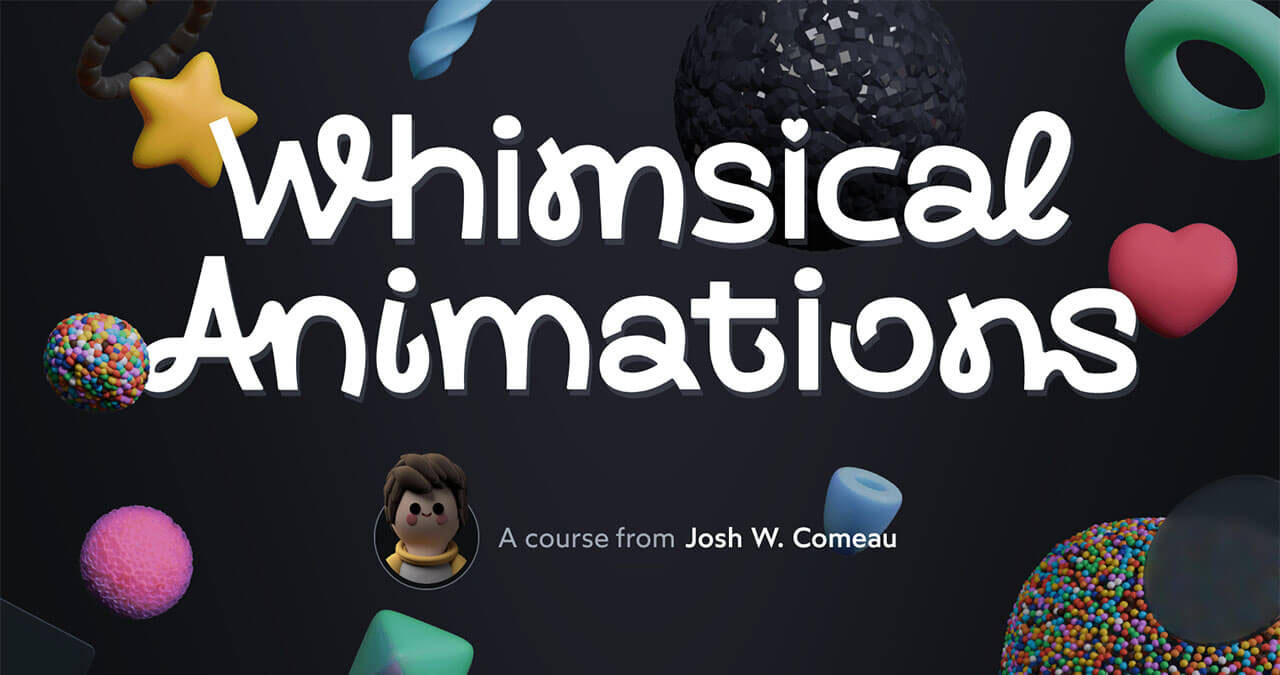
I’ve gotten quite a few questions about who it’s for and what it covers. So, on the eve of the launch, I thought it’d be worthwhile to answer some of the most common questions I’ve gotten from y’all!
If you have a question that isn’t answered here, or if you’d like more information, you can reply to this email and ask me directly! As always, replies come straight to my personal inbox. 😄
Before we get to the FAQ, a couple quick housekeeping points:
- I’ll be sending more newsletter issues than I usually do over the next week. If you’d prefer not to receive any extra emails, you can mute this launch. Just please note that you’d miss the exclusive animation-related content I plan on sending.
- If you’d like to be notified right when registration opens, you can use these calendar links to create an event: Apple Calendar, Google Calendar(opens in new tab), Outlook(opens in new tab), ICS(opens in new tab).
And now, onto the frequently asked questions!
Link to this headingWhy should I learn how to create whimsical animations?
We all have limited time, and you might be wondering whether it’s worth spending that time learning about animations. Is this just for fun, or could it actually help us in our careers?
Well, when I think about my own career, I’d say that animations have had a huge impact. Early on, before I had any sort of professional reputation, I used animation and general UI polish to make my portfolio projects stand out. For example, when I wanted to work for Spotify, I created a neat tool(opens in new tab) that allowed users to navigate through related artists, built using Spotify’s API:
This side-project landed me an interview with the company. They weren’t even really focused on hiring at that time, from what I remember, but my little tool stood out and they were potentially willing to open a spot for me. Ultimately, I withdrew before we got too far in the interview process when I found out I’d need to relocate to Stockholm.
Throughout my career, animations have been the cherry on top of my broader web-development skillset. Very few front-end devs are animation experts, and it’s meant that when my employers needed animation work done, I was almost always selected for the task. At Khan Academy, for example, I built this whimsical confetti effect when students answer questions correctly:
Tasks like this are super fun and surprisingly meaningful. They also look fantastic inside promotion packets at review time. At most tech companies, your manager advocates on your behalf when it comes to promotions and raises, and visually-stimulating examples like this can go a long way. ✨
As web developers, animations are the best tool we have to spark joy, to reach out and tickle the brains of the people using our sites/apps. This stuff works at a subconscious level. Nobody (except maybe me 😂) will say that they hired a person or purchased a product based on the website’s animations, but if we can trigger a bit of serotonin while they interact with our content, that colors how they perceive us in a positive way.
I don’t want to overstate the importance of animations. I won’t pretend that animations are the most important skill for you to have as a developer 😅. But things are pretty tough right now in the industry; promotion budgets are limited, and if you’re looking for a job, you’re competing against skilled candidates. Meeting 80% of the job requirements isn’t really enough anymore. Having an animation skillset can be the feather in your cap that helps you stand out.
Link to this headingIs this course for beginners or experienced devs?
This course assumes that you’re comfortable with the fundamentals of HTML, CSS, and JavaScript. You don’t need any animation experience, but this course probably isn’t suitable for you if you’re just getting started with web development.
And actually, I learned something important during the previous alpha/beta releases: some folks expected this to be a light course that covered the basics of animation, which is not at all what this is 😅. Animation sounds like an easy-breezy topic, but if you want to build the sorts of advanced effects I use in my work, we need to explore some pretty gnarly territory.
So, you should expect that this course will be pretty challenging. We go far beyond typical beginner animations like applying a CSS transition on hover (though I do have an Animation Primer bonus module that digs into the fundamentals, so it’s totally fine if you’ve never used CSS transitions or keyframe animations before!).
Link to this headingHow long will it take to complete the course?
It’s a pretty substantial course. It’s hard to predict exactly how long it’ll take, since it depends a lot on how much time you spend on the exercises and activities, but I expect most developers to spend between 30 and 60 hours to fully complete the course.
I recognize that’s a lot of time, but honestly you’ll get so much value from the course in a tiny fraction of that. I’ve heard from beta students who reached out after just a couple hours with the course to say that they had already learned so much!
Also, I’m trying something new with this course. There are a couple dozen “Quick Wins”: standalone bite-sized mini-lessons that cover one neat trick or technique, something you can learn in 10-15 minutes and start using in your work immediately. So, if you don’t have much time, you could barrel through the Quick Wins in an afternoon and learn a bunch of new tricks and techniques you can use right away! 😄
But really, the goal with the course is to teach you how to make top-tier animations and interactions, the sorts of things that stand out precisely because they’re not the standard animations you see everywhere else. It took me over a decade to learn all these tricks, so really I think this course will help you save a tremendous amount of time.
Link to this headingHow much will the course cost?
The full price of the course will be US$649, but I’m having a launch sale for the first week that’ll bring the price down to US$389 (40% off). For that price, you gain access to the full curriculum, including all future updates, and access to our exclusive community, where you can ask me questions directly and hang out in one of the healthiest online spaces I’ve ever been a part of. ✨
If you live in a country with significantly lower purchasing power like India or Brazil, I do offer localized pricing. You can find your local discount percentage (if applicable) by visiting the checkout page(opens in new tab) for my other courses.
And if you are currently a full-time or part-time student, I have a 20% student discount! You can reply to this email with proof of enrollment and I’ll generate a unique code for you. For proof, you can send an active student ID card or registration paperwork from 2025-2026. Or, if you have a school-provided email address, you can email me from that address, which counts as proof.
Link to this headingWhat if I’m not happy with the course?
I offer an unconditional 30-day refund policy, so if you check out the course and discover that it’s not for you, you can send me an email and I’ll issue a full refund. ❤️
Link to this headingDo I need to know React for this course?
Nope! All of the concepts in the course are taught without any sort of JavaScript framework. You’ll learn how to create all of the animations in the course with core web technologies (HTML/CSS/JS/SVG/Canvas).
That said, the course also features optional lessons that show how to incorporate those concepts in React, so if you do work with React or another component-based framework, please rest assured that you’ll learn how to apply all of these concepts in that sort of setting as well.
Link to this headingDoes this course use animation libraries like GSAP?
Whenever it’s practical, we cover things using vanilla CSS/JS. I'd much rather teach you how to use the web platform itself than a library that obscures how things work and might totally change in a future version.
It’s actually pretty surprising just how far we can get using modern CSS and JavaScript! The web platform has come a really long way in the past few years. 😄
There are some things that are significantly easier to do with a library, and in those cases, we use Motion (formerly known as Framer Motion). Motion is a vanilla JavaScript animation library with bindings for React and Vue. It’s not as popular as GSAP, but I think it’s even better, and I make the case for it in the course.
Here’s an example. In the course, we learn how to morph between shapes in SVG, like this:
This actually is possible using modern CSS, but it isn’t yet supported in Safari(opens in new tab), So, in the course, I’ll show you the futuristic way to do this with modern CSS, but we’ll also cover how to build these sorts of animations in Motion for maximum browser compatibility.
Finally, I realize that we don’t always get to choose the libraries we use. Maybe your employer or client wants you to use GSAP. I believe that if you understand the core concepts well, it’s fairly trivial to port that knowledge to GSAP, or any other animation library.
Link to this headingDoes this course cover View Transitions?
Yep! We dig very deep into View Transitions, covering all of the cool things you can do with them, and exploring all of the gotchas that trip most developers up.

When I share details about this course, I frequently find myself talking about SVG/Canvas stuff, since it’s flashy and makes good GIFs. But the course also focuses a lot on the cool things we can do with modern CSS, like View Transitions and animation-timeline (scroll-driven animations using native CSS).
If you’ve read anything online about View Transitions, there’s a good chance it was written by Bramus (CSSWG member who works on the Google Chrome DevRel team). Bramus knows more about View Transitions than just about anyone else on this planet, and he was kind enough to review this part of the course. Here’s what he had to say:
THIS IS AMAZING! The way you build things up makes it all digestible without any steep pathways, and your gift for clearly articulating the what and how is the cherry on top. I’m impressed!
Link to this headingWhy should I learn how to do this stuff when Claude Code can do it for me?
I’ve heard from a lot of folks who are wondering whether it still makes sense to learn anything code-related when AI tools exist. Can’t we delegate all of this stuff to agents now?
I’ve been working with AI tools for a few years now, and they are truly remarkable. I honestly didn’t think they’d become this good. 😅
That said, they have strengths and weaknesses. They’re great at solving the sorts of common, generic problems that are well-represented in their training data. If I need to check if a number is prime, or add a PUT endpoint for a CRUD app, LLMs can do that with surprising consistency nowadays.
But when it comes to creating bespoke animations, it’s a bit of a different story. Almost by definition, whimsical animations can’t be generic. In order for an animation/interaction to spark a bit of joy, it needs to be fresh, something that the user hasn’t seen before. Even the most lovely animations grow stale surprisingly quickly.
In my experience, I’ve found that LLMs can produce the sorts of animations I create, but they require a lot of hand-holding. I generally need to provide the exact sequence of techniques to use, almost line-by-line. That's only possible because I have the technical skills to implement it myself, not to mention the design chops to come up with the animation in the first place!
I have so much more to say about this, but this email is already too long 😂. So here’s the bottom line for me: LLMs work best when they’re guided by a skilled operator. There’s a reason why the most successful AI-driven projects are typically created by people with deep subject matter expertise. Even if you’ve fully adopted agentic workflows and don’t write any code by hand anymore, my course will teach you how to produce remarkable effects that will help your projects stand out from the increasingly generic competition.
If you’d like to more about the course curriculum and what it covers, be sure to check out the course website(opens in new tab), which covers each part of the course. The site itself is intended to be a bit of a demo, showcasing many of the techniques you’ll learn in the course. ✨
There’s also a FAQ section(opens in new tab) on the website which digs into some more granular details.
And like I said above, if you still have questions about the course, you’re welcome to reply to this email and ask me directly!
I’m so excited to share this course with you ❤️
PS. I know that some of y’all will need an invoice in order to expense this course. I can definitely accommodate that! You can reply to this email with a company name/address and I’ll generate an invoice for you. ✨
I also realize that the name “Whimsical Animations” might make the course a bit hard to expense 😅. If it would help, I’d be happy to issue the invoice with a more-generic name like “Developer training on web animations and interactions”, to avoid raising any eyebrows in accounting/HR! Just let me know.
This issue of my newsletter was sent to newsletter subscribers.
Sign up to receive future issues!
Interactive Courses
© 2018-present Joshua Comeau. All Rights Reserved.